Learning Problem Recommendations
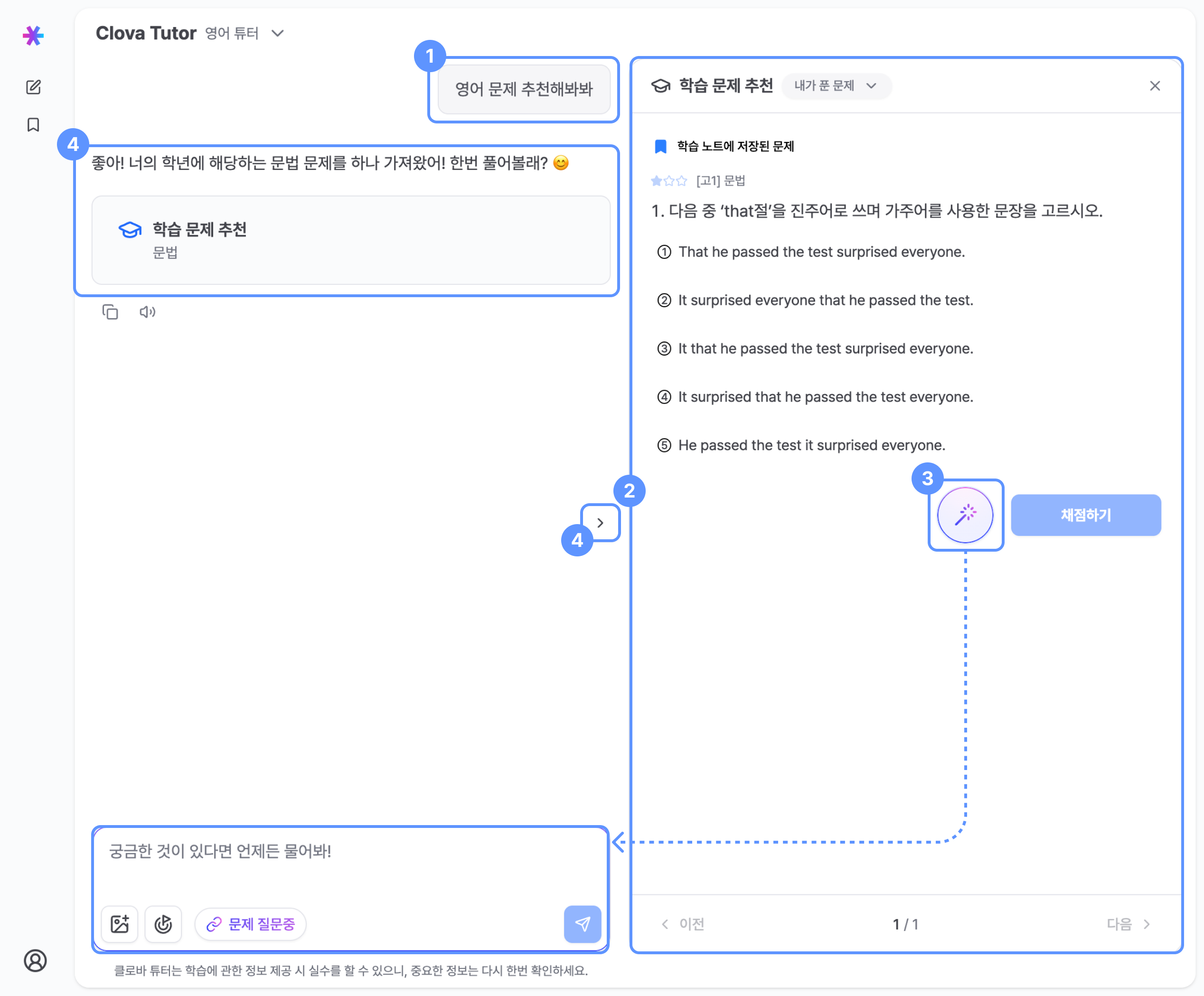
For accurate solutions and explanations of English problems, make sure you are using the English Tutor.
1 Requesting problem recommendations in chat
Enter a question in the chat, and the AI tutor will recommend problems based on your grade level and current proficiency.
2 Learning problem recommendation panel
1
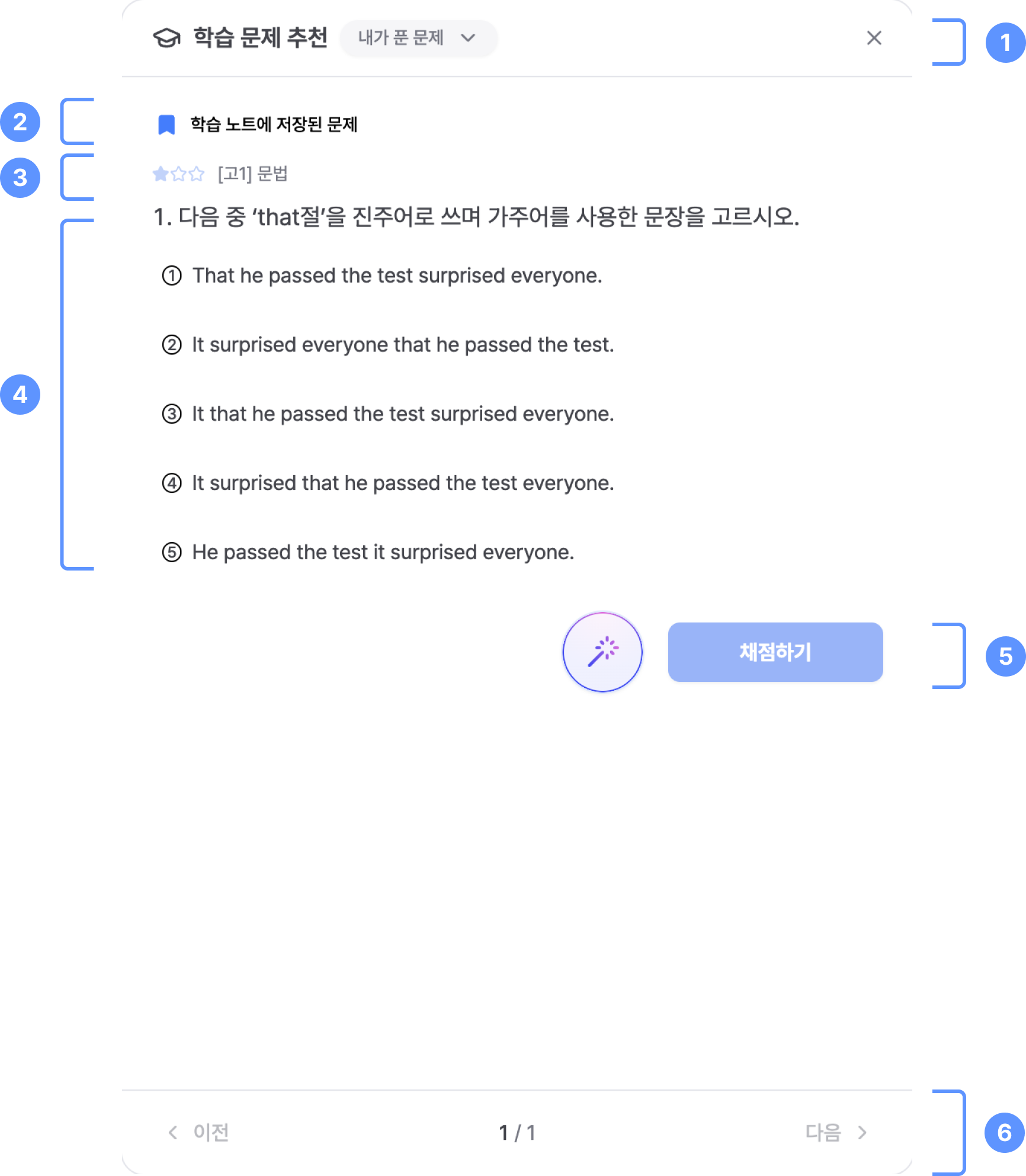
Use the My Solved Problems dropdown to view the full list of attempted problems, including their status:
Correct,Incorrect, orReviewed.
2
Save problems to your Learning Notes. Saved problems can be reviewed later from the "Learning Notes" page in the sidebar.
3
View metadata such as grade level, problem difficulty, and problem category.
4
Recommended problems are displayed here. Problems may be multiple-choice or short-answer.
5
Click Check Answer to verify your solution. Use the ✨ button to ask the AI tutor questions about the problem.
6
Navigate between recommended problems using the Previous and Next buttons.
3 Asking the AI tutor about a problem
Click the Ask AI button to immediately ask questions about the selected problem in the chat on the left.
4 Opening and closing the problem panel
- When a tutor response includes recommended problems, a summary panel is generated automatically.
- Click Open to view the problem at any time.
- Use the Open / Close button to show or hide the learning problem recommendation panel.